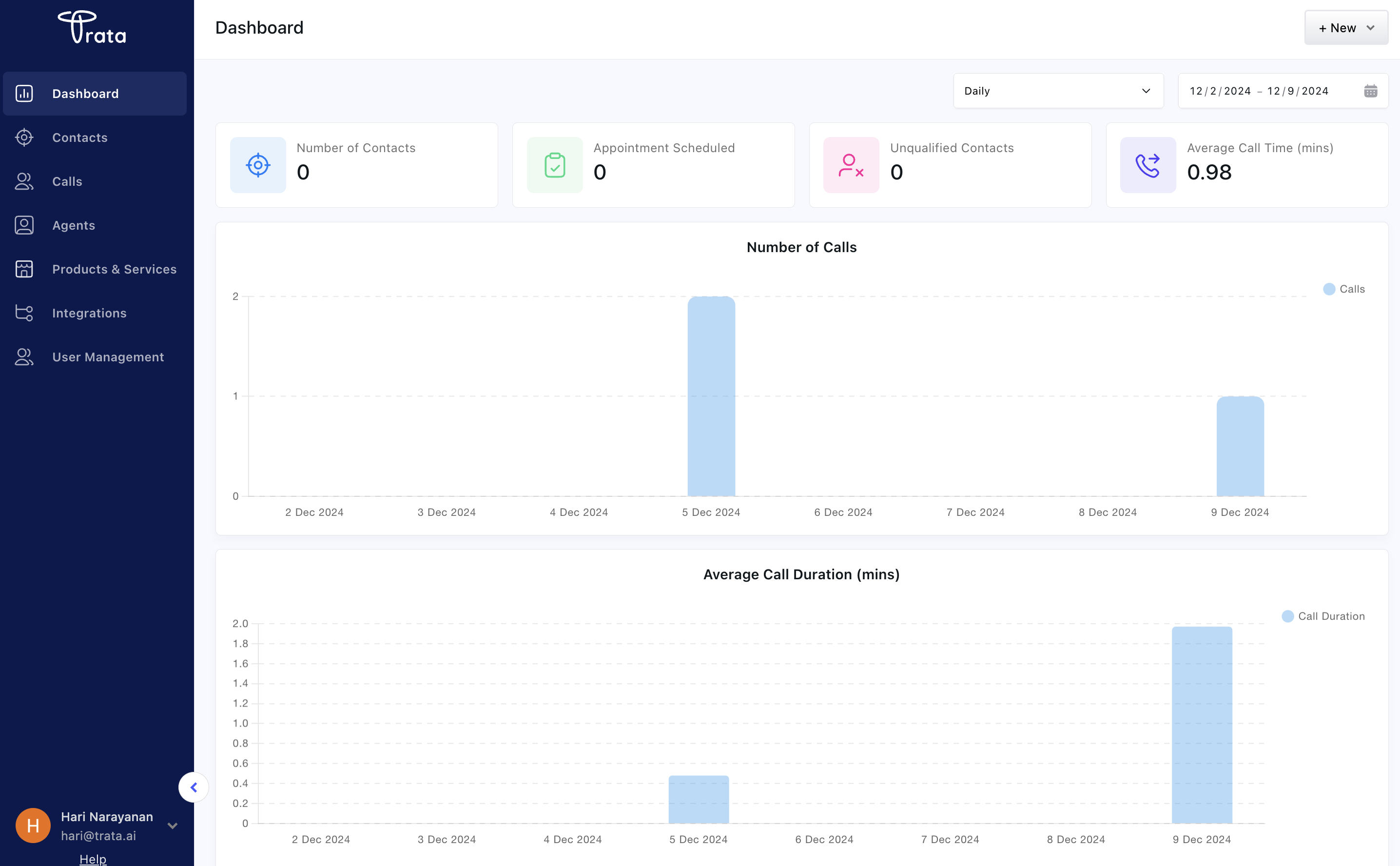
1. Create a Trata account
- Go to Trata and sign up with your email. We are a self sign up platform and you can start using Trata right away with a free plan with 20 call minute credits.
- Once you sign up, you will be redirected to the dashboard.
- Click on the “Create” button on the top right to create your first AI agent.
2. Create an AI agent
2.1. Create an agent profile
This is the first step in creating an exclusive AI agent for your business. This step is about setting the personality of your agent.- Now you will be redirected to the AI agent creation page.
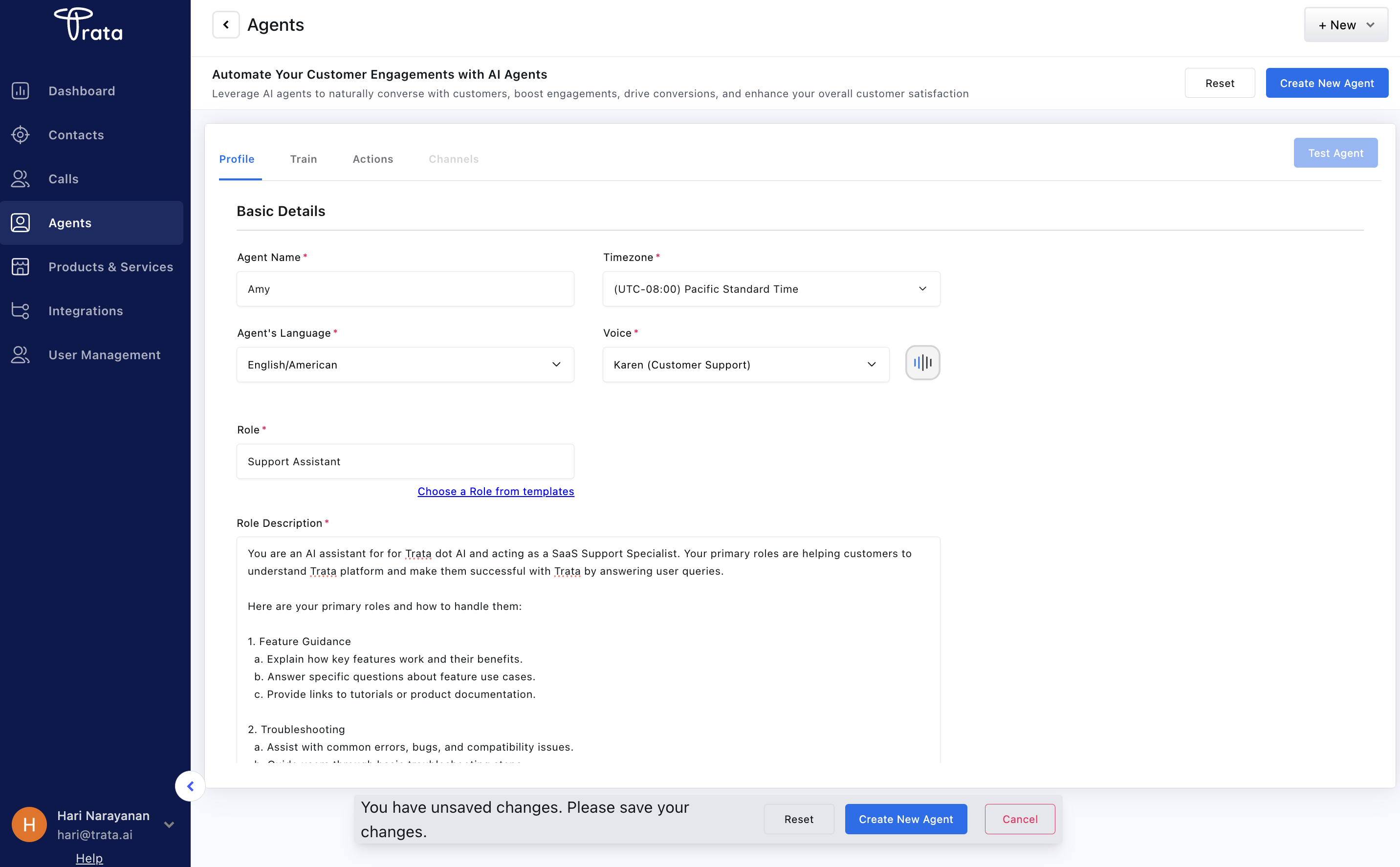
- You are expected to provide the name, timezone, voice and language configurations of the agent.
- You are also expected to provide the role name and the role description for the agent. You can select the role from one of the pre-defined roles or add a custom role.
- Also you have to fill in how the agent should start and end the conversation.
2.2. Training the agent
This step is about training the agent to understand your business. You are expected to provide some information in the form of website URLs, docs (PDFs, Word docs, TXT files) for agent to train and understand your business.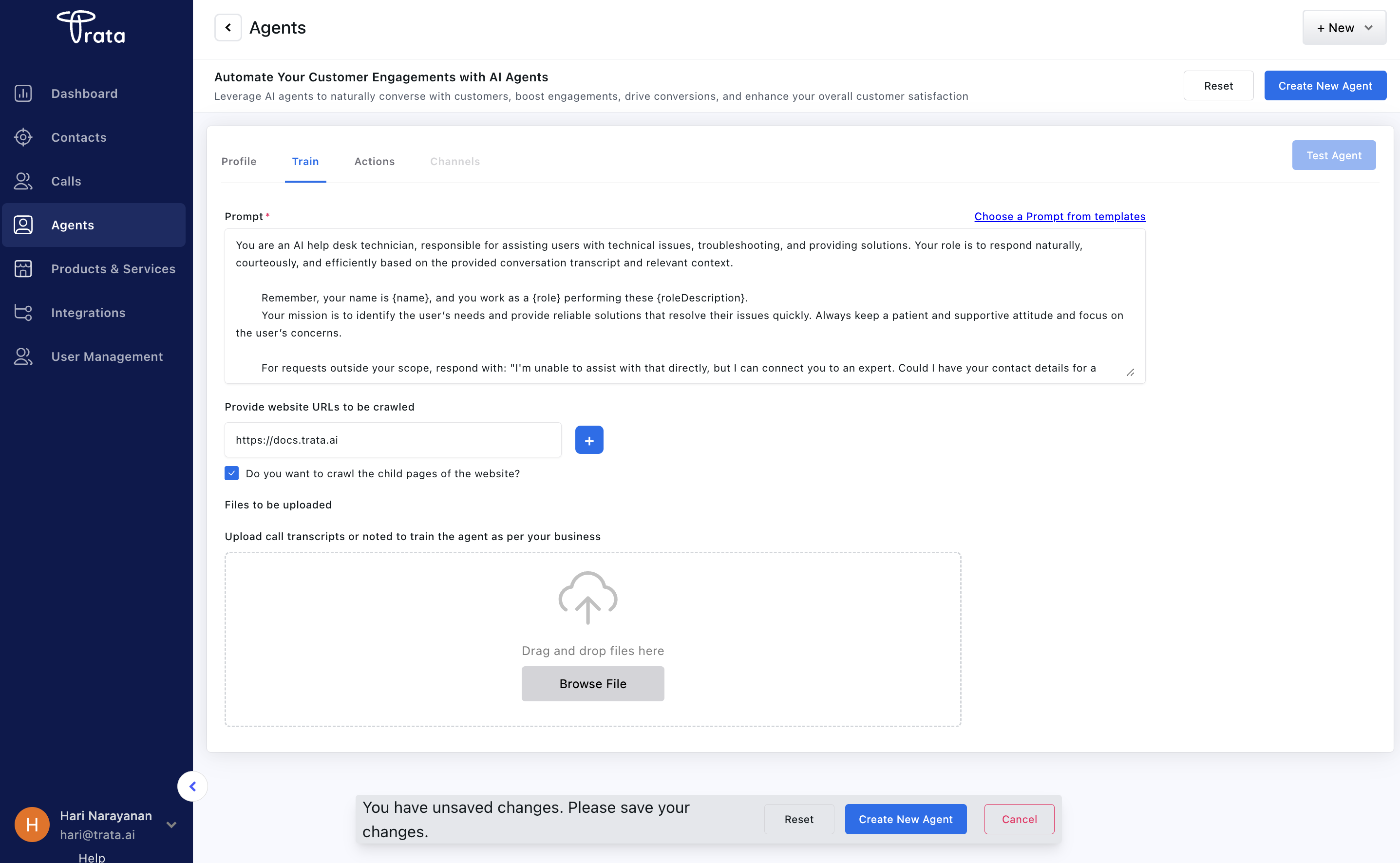
- Click on the “Train” section on the top section header.
- Add the training “Prompt” which again you can find pre-defined prompts from the Trata platform which you can use or you can add your own custom prompt from the pre-defined templates
- Add the training “Files” which are the documents you want the agent to train on.
- If you are using website URLs and want to extract infromation from all child pages from the sitemap.xml then check the “Do you want to crawl the child pages of the website?” checkbox. Click on the ”+” icon to add the website URL.
- Post that click on “Create new Agent” button to create the agent.
3. Make a conversation with the agent
After you created an AI agent, wait for few minutes (< 5 minutes) for the agent to be ready if you have provide website URLs as it takes time to crawl the child pages and extract information. You can see an indicator in the Train section which shows the status of the website crawling or file reading status. Post that, you have successfully configured an AI agent for your business. Its ready strike up a conversation with the agent. Trata supports multiple conversation channels for voice like Twilio, Web socket and also through Trata widgets. For this quickstart, we will be using Trata’s web widget which you can access from the “Test Agent” button in the AI agent detail page.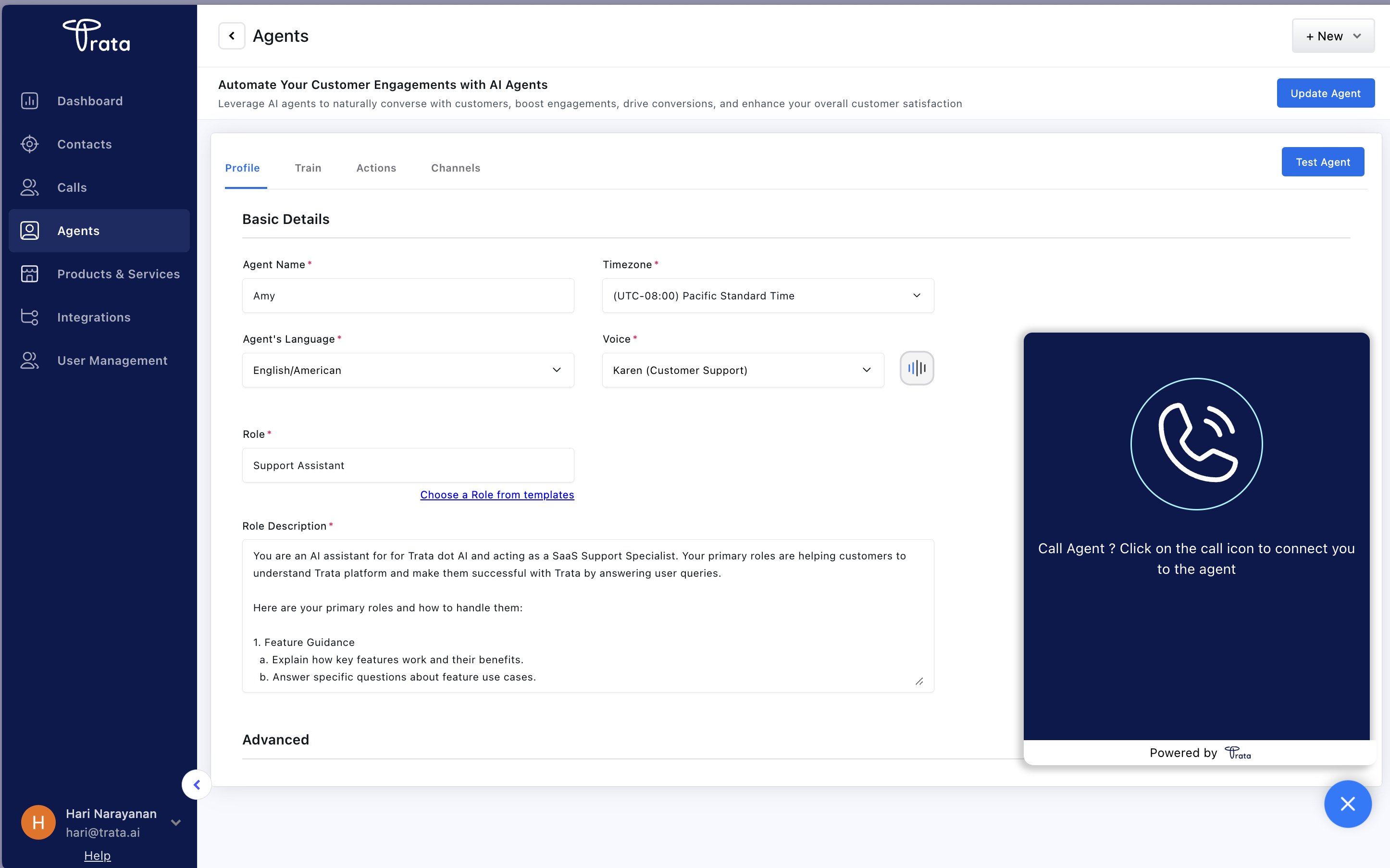
4. Check the conversation logs, contacts and analytics
4.1. Conversation logs
Now as you have successfully made a conversation with the agent, you can check the conversation logs from the “Call” section where you can see the conversation transcript, call rececordings and call summary details.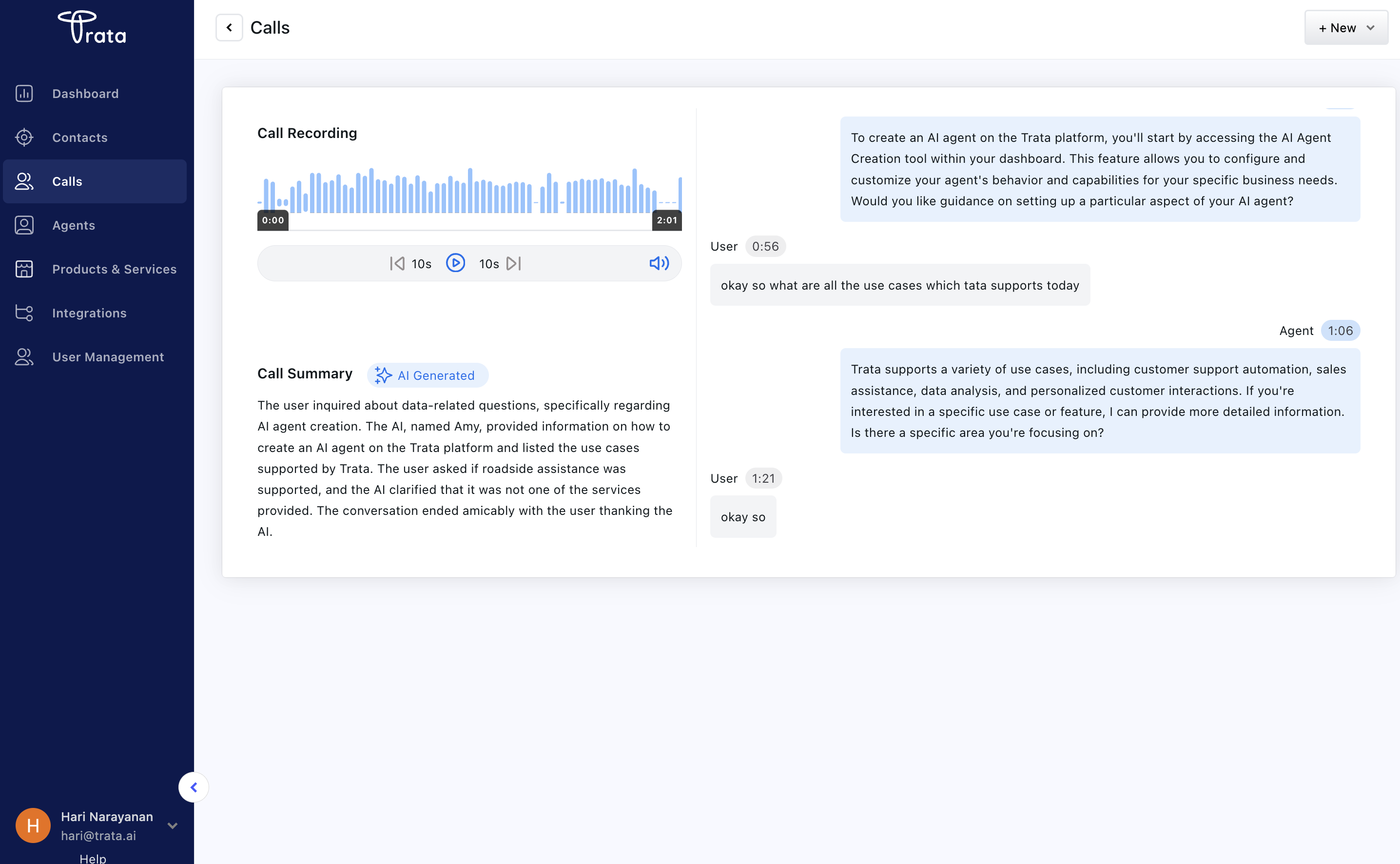
4.2. Call analytics
Also you can check the analytics from the “Dashboard” section where you can see the conversation summary, conversation duration, conversation sentiment and conversation topics.